H3 SCIO Service Installation Error-1060
Description
H3 GrainGage SCIO services fail to install and gives the following error message:
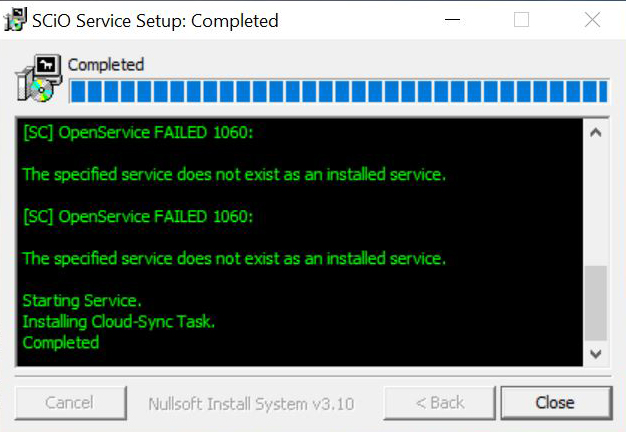
Fix
1. Check to ensure all Windows updates have been completed
2. Check to ensure the tablet operating system is running Windows 11 (64-bit). If not, update tablet.
Click Start, type system in the search box, and, under Programs, click System Information.
Note: If System Information isn’t listed under Programs in the search results, click Programs to see more results.
When viewing "System Summary", in the right pane, look at the "System Type" entry. For a 32-bit version operating system, it will say X86-based PC. For a 64-bit version, you’ll see X64-based PC.
3. Install .Net8 SDK.
4. Reboot the tablet and try installing the services again.
If the problem persists, contact the HarvestMaster Field Service Engineers.
Phone Number: 435-753-1881
Email: hmtechsupport@junipersys.com