H3 Intermittent SCiO Communication Error During Harvest
Problem Description
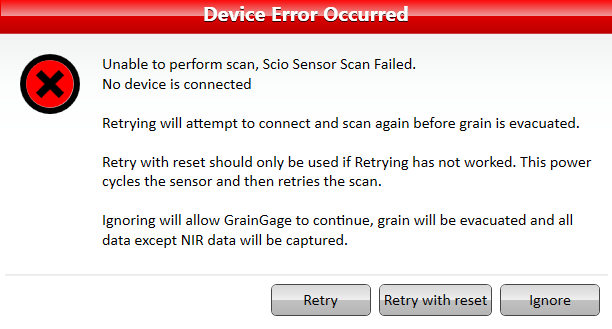
While harvesting plots, a "Device Error" indicating that the system was "unable to perform scan, Scio Sensor Scan Failed. No device is connected." System will give options to "Retry" or "Retry with reset" but neither will work.
Potential Fix
Follow the steps outlined in the following document: SCiO Communication Error Corrective Action.
Install grounding modification.
When to Install Grounding Modification (if not already installed)
For the SCIO sensor on an H3 GrainGage, the grounding modification is typically used when there is evidence of electrical noise or grounding-related communication issues affecting the SCIO's operation.
Common situations where the grounding modification is recommended include:
Intermittent SCIO disconnects or communication failures
Unstable or inconsistent NIR readings
Frequent SCIO initialization errors
Systems where the SCIO is mounted on an H3 and there is a potential difference between the sensor housing, H3 frame, and electronics ground
Installations that have experienced electrical noise from motors, drives, or other equipment
The modification creates a more direct ground path between the SCIO assembly and the H3 chassis/electronics ground, which helps reduce electrical interference and improve communication reliability.
For installation instructions, see: H3 Grounding Kit Installation Instructions
General Rule
If an H3 with a SCIO sensor is operating normally and producing stable readings, the grounding modification is usually not required. It is most often applied:
During troubleshooting of SCIO communication or measurement issues.
When directed by HarvestMaster Engineering or Technical Support based on a known configuration or symptom.
If the problem persists, contact the HarvestMaster Field Service Engineers.
Phone Number: 435-753-1881
Email: hmtechsupport@junipersys.com